
Repositories
Manage Git repositories.
Each repository is available as a Git Smart HTTP remote over HTTPS. Supported clients include the Git CLI, OrbitOne Web, Drive and the VS Code extension.
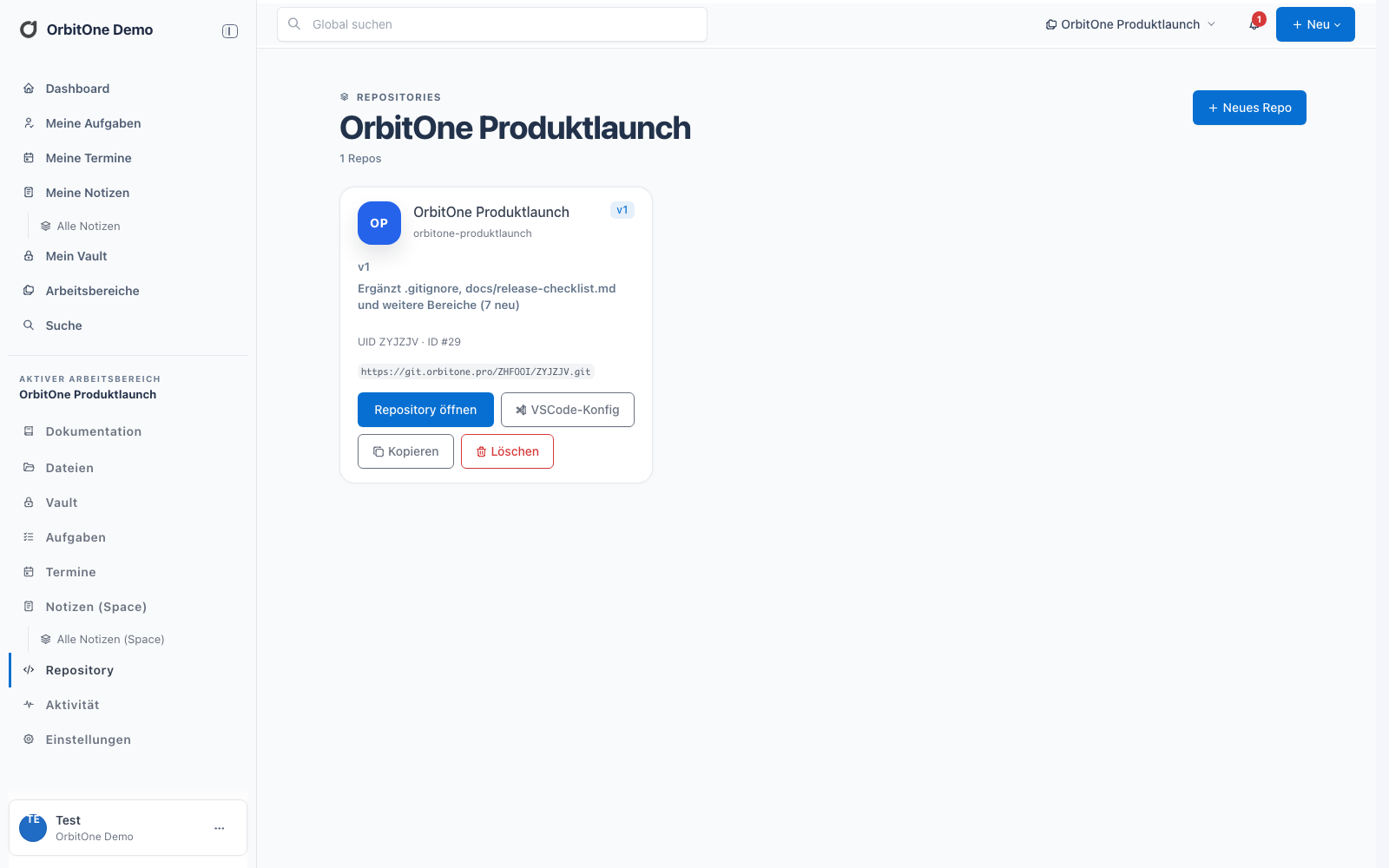
Functions
Access, history and clients.
- Clone, push and pullUse standard Git commands against the HTTPS remote.
- Repository tokensCreate, name, scope and revoke access tokens.
- Commits and versionsInspect repository versions and commit history.
- Diffs and file historyCompare changes and affected files.
- OrbitOne DriveDownload and update local repository working copies.
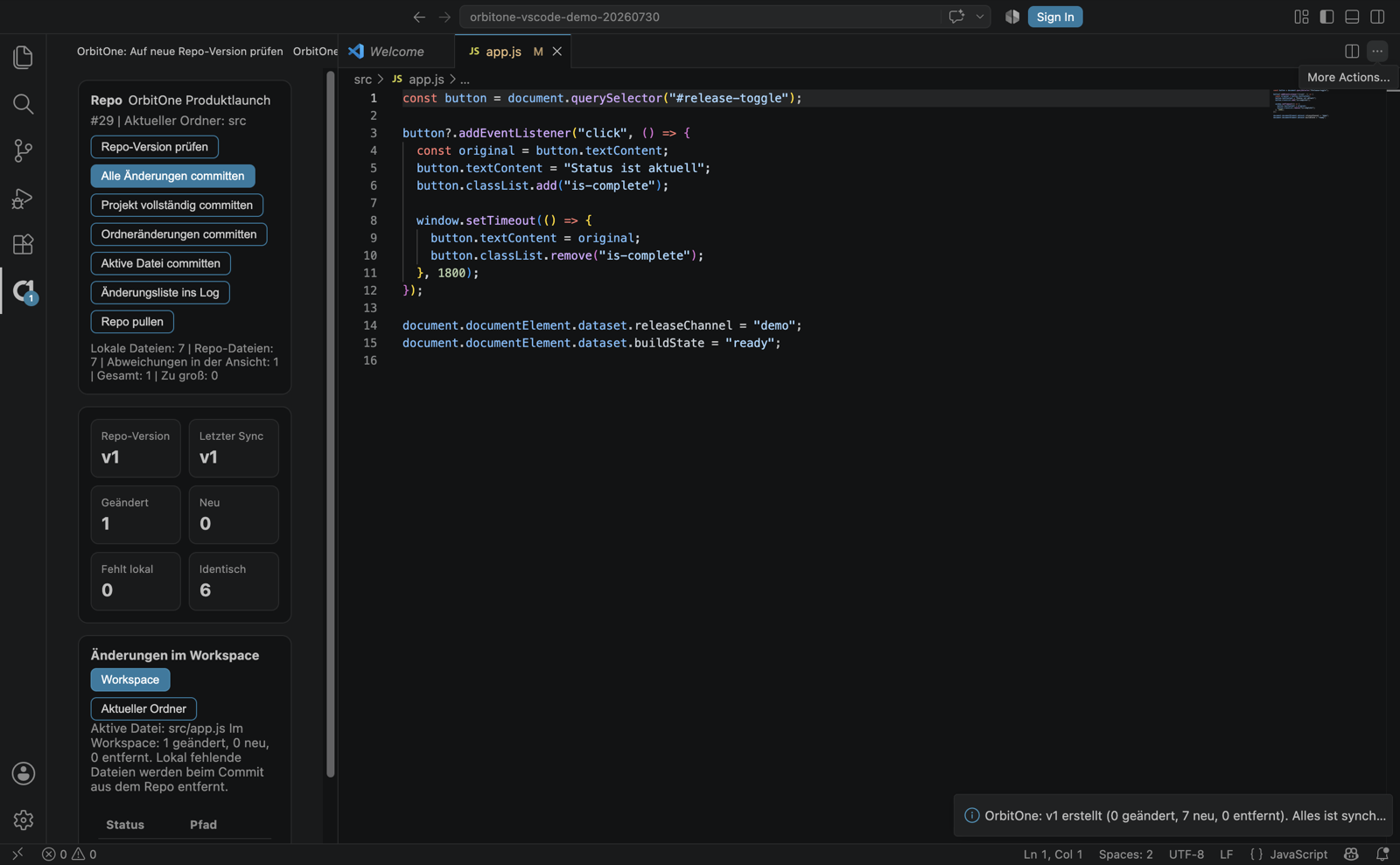
- VS CodeView status and changes, commit, pull and download versions.
Command line
Supported Git actions.
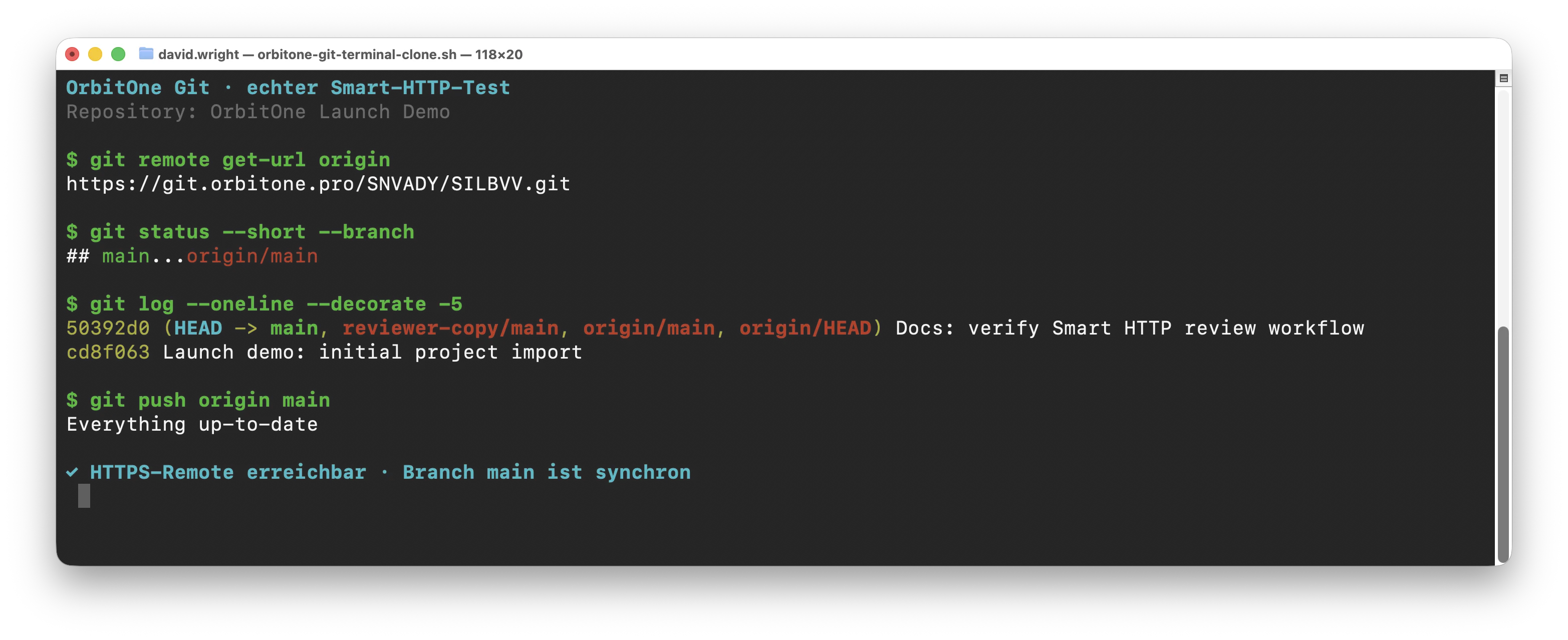
Projects can be cloned or initialized locally, connected to an OrbitOne remote and synchronized using push and pull.
git cloneover HTTPSgit push -u origin maingit pull --ff-only- Compatible with credential helpers
Clients
CLI, VS Code, Drive and Web.
Git commands use the HTTPS remote directly. VS Code displays status and changes. Drive manages local working copies. The Web app displays versions, commits and files.